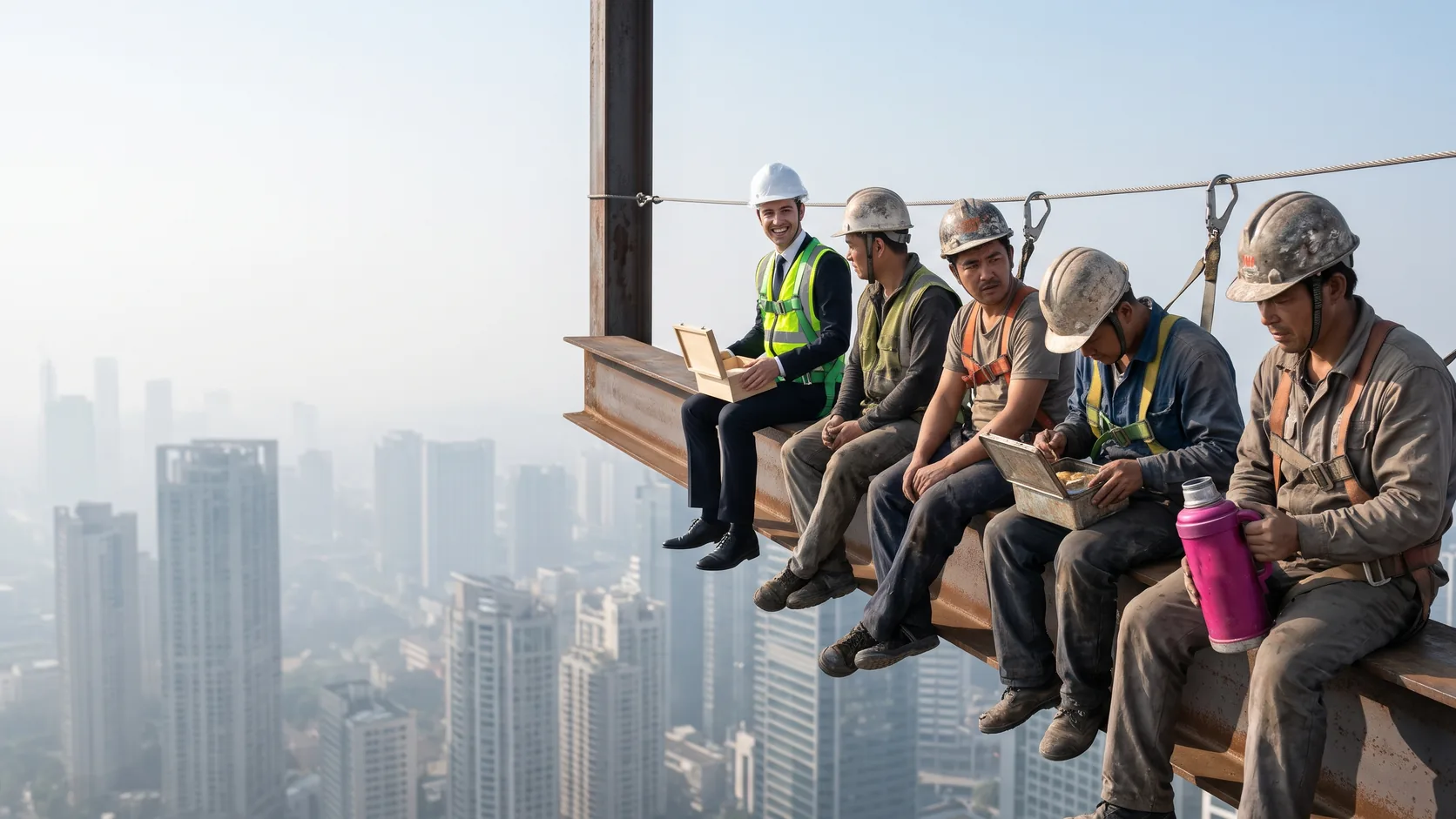

Your potential client is sitting with a laptop in the evening, three tabs open. Each one is a construction company. All three say “quality, reliability, experience”, and all three have the same photo of a hard hat lying on a drawing. This person is about to hand someone a sum they spent years saving, and right now they are looking for just one reason to believe you in particular. If your website doesn’t give them that reason, they will close the tab and go ask their friends.
Construction isn’t sold the way coffee or sneakers are. The decision takes a long time, the amount is large, and you can’t return a bad foundation to the shop. So a construction company website doesn’t work as a shop window. It works as a first background check: the visitor is looking for proof that you exist, that you build real things and that you won’t vanish once the foundation is poured.
The example running through this article is made up: “Builder N”, a general contractor building private houses near Lviv that also takes on turnkey renovations. We’ll use it to work out what goes where.
1. Which builders need a website, and what kind
Almost anyone who sells construction work to people or companies they don’t know personally needs a website. But “construction company” covers very different businesses, and their websites differ too.
| Who you are | What the client is looking for | The website that usually fits |
|---|---|---|
| General contractor (private houses, commercial buildings) | Experience on similar projects, a licence, the team, how deadlines are controlled | A multi-page corporate website |
| Turnkey renovation | Before and after photos, how the estimate is calculated, stages, a warranty | A corporate website or a 5-8 page brochure site |
| Developer (apartment complex, housing estate) | Land and permit documents, construction progress, floor plans | A corporate website plus a separate site or landing page for each project |
| Narrow specialist (roofing, facades, foundations, concrete frame work) | A specific technology, examples of exactly this work, how fast you can come out | A brochure site or a landing page for one service |
| Subcontractor for other companies (B2B) | Capacity, machinery, qualifications, who you have already worked with | A corporate website focused on resources and references |
Corporate website
Many pages: a separate page for each service, a project catalogue with filters, documents, job openings, news, a blog. You need one when you have several lines of business and clients find you through search with different queries: “aerated concrete house construction”, “roof reconstruction”, “warehouse general contracting”. Each of those queries gets its own page instead of drowning in a generic text on the homepage.
Builder N belongs here: houses and renovations are searched for by different people using different words, and one page can’t serve both audiences.
Brochure site
A few pages: who you are, what you do, a handful of projects, contacts. It suits a young company or a narrow specialist who simply needs a place to send people from Instagram or after a recommendation. The weak spot of a brochure site is that there is little text for search queries. On the other hand, it’s quick to launch and easy to expand, as long as the structure leaves room to grow.
Landing page
One page for one offer, most often for advertising: “Turnkey timber frame house in 4 months” or the start of sales for a new phase of an apartment complex. A landing page is good at walking someone from a problem to an enquiry, but it’s a poor choice as a company’s only website: there is no room on it for all your projects, documents and services. That’s why a landing page usually lives next to a corporate website, not instead of one.
The basics every business website needs (a clear purpose on the first screen, contacts, calls to action) are covered in a separate article, “Business website must-haves: 10 things a company site can’t work without”. Here we’ll focus on what is specific to construction.
2. Where to start: not with design, but with the client's questions
The most expensive mistake in a construction website appears before the first mockup: the site is built around what the company wants to say about itself, not around what the client wants to check.
Who your client is
Describe your client by their situation, not by age and gender. For Builder N, that roughly gives three different people:
- A family with a plot of land building a house for the first time. They know nothing about building technologies and are afraid of being ripped off on the estimate. They need simple explanations and a look at the process.
- The owner of a flat in a new building who needs a turnkey renovation. They compare three or four companies and want to understand the stages and who is responsible for deadlines.
- A business owner who needs a warehouse or a small commercial building. They read fast and look at the licence, similar projects and whether the company can handle paperwork.
Each of them needs their own entry page and their own arguments. One homepage that says “We build dreams” helps none of them.
Which questions the website must answer before the call
People choosing a contractor usually have the same worries. It helps to write them down and put a specific piece of proof on the website next to each one:
| The client’s fear | What on the website eases it |
|---|---|
| “They’ll miss the deadlines” | A stage schedule for real projects: when you started, when you handed over; how you report delays |
| “The estimate will double” | An explanation of what the estimate is made of, what is fixed in the contract, what can change and why |
| “They’ll do a sloppy job and then disappear” | Warranty terms, office address, years in business, reviews with names |
| “Are they even allowed to build this?” | A licence or registration (if required), the register number, the legal entity name and company registration number |
| “I don’t understand anything about construction” | Stages in plain words, a glossary, answers to frequent questions |
If you have no proof for one of these fears, that’s a signal for the business, not for the designer: maybe it’s time to start keeping photo reports or to put the warranty in writing. The reasons people actually say no are worth collecting from your sales team systematically instead of guessing. Those notes later become website copy.
It’s convenient to gather all of this in one document before you even start looking for a developer. How to write that brief so the developer doesn’t fantasise on your behalf is covered in “Website brief template”.
3. Construction company website structure
Below are the sections worth having on the corporate website of a general contractor or a renovation company. A brochure site can combine several of them on one page, but the logic stays the same. How to build the menu so people find these sections without searching is covered in the article on website navigation.
About us
The weak version: “We are a young, ambitious team of professionals who value every client.” This text fits anyone equally well, so it proves nothing.
The strong version is made of details that can be checked:
- the full name of the legal entity or sole trader, the company registration number, the year of registration;
- who runs the company and who manages the sites: name, photo, experience (real people, not stock models);
- your own machinery or the key partners you work with regularly;
- which towns and areas you work in;
- how many projects are underway right now. Only if you’re ready to back up that number.
Case studies: finished and ongoing projects
For a construction company this is the main section of the website, and everything else works for it. One “our work” gallery with thirty uncaptioned photos does almost nothing: it’s unclear what the building is, where it is and what exactly you did.
A good project card for Builder N would look like this:
- What: a two-storey aerated concrete house, 160 m², Sokilnyky village (Lviv region).
- What we did: from the foundation to the finished facade; the utilities were done by a subcontractor.
- Timeline: planned and actual dates for each stage. If something slipped, an honest reason why.
- Photos: the construction stages, not just the final shot.
- Client review with a name, if they agreed.
It’s worth keeping ongoing projects separately, with a photo report every week or two. For someone who is hesitating, that’s a strong argument: the company is actually working right now and isn’t showing three houses from five years ago. A developer can’t do without a construction progress section, because flat buyers follow it for months.
Services
Each major service gets its own page: what’s included, stages, technologies, examples of projects for exactly this service, frequent questions and an enquiry form. That way, someone who came in with the query “turnkey renovation in a new build” immediately sees an answer to their query, not a general list of everything the company can do.
How the estimate is calculated
Builders usually go to one of two extremes here: either a price list saying “from N per square metre”, which means nothing for a specific house, or “price on request”, which sounds like “we’ll surprise you later”. Neither eases the main fear.
The version that works explains the mechanics, even without numbers:
- What the estimate is made of: materials, labour, machinery, delivery, contingencies.
- What you need from the client for an accurate calculation: the design, a soil survey of the plot, photos of the flat, preferences for materials.
- What is fixed in the contract and what can change (for example, material prices if they aren’t bought at the start), and how you warn the client about it.
- How long the calculation takes and whether it’s free.
A calculator on the website is useful if it honestly shows a ballpark figure and explains what the difference depends on. A calculator that produces a nice number which then grows by half at the meeting destroys trust faster than having no calculator at all. An even simpler option: a short questionnaire of 5-7 questions, after which a manager calls back with a request that is already clear.
Documents and licences
Whether a builder needs a licence, a registration or a specific qualification depends on the country and on the type and scale of the work. Two examples. In Ukraine, a licence is required for construction of buildings in the medium (CC2) and significant (CC3) consequence classes, under item 9 of part one of Article 7 of the Law of Ukraine “On Licensing Types of Economic Activity”, so a private house often doesn’t need one while an apartment block does. In Germany, a number of building trades, such as bricklaying and concrete work, carpentry, roofing, plumbing and heating or electrical work, are listed in Annex A of the Crafts Code (Handwerksordnung): a business may only run them independently once it is entered in the crafts register (Handwerksrolle), which as a rule requires a master craftsman qualification.
The principle is the same everywhere: show the registration or licence that applies in your country and make it checkable. A client can check you, so make that job easy for them:
- give the full legal entity name and the company registration number on the website, so it’s easy to find in the official register;
- if you hold a licence or a trade registration, say which types of work it covers and which authority or chamber issued it;
- for developers: a separate page with documents for each project (land rights, permits, details of the client and the general contractor) in a form people can open and reread.
Don’t write “we have all the permits” without a single document. And don’t invent certificates for yourself: they are easy to check, and those are exactly the small details people check first.
Blog
A blog works for a construction company when it answers the questions people actually ask your managers: “aerated concrete or ceramic blocks”, “what to do with the plot in autumn if you’re building in spring”, “how to sign off a shell renovation”. Google explicitly suggests assessing content by asking whether it shows first-hand experience (for example, from someone who has actually used the product or visited the place), see Google Search Central on helpful content. For a builder that’s simple: an article with photos of your own site and your site manager’s explanation convinces more than a rewritten generic text.
Reviews
Reviews on the website are stronger when they can be matched to a project: a name, a town or village, what was built, photos. Reviews on Google Maps are also visible in search, so it’s worth asking every happy client to leave a few sentences there.
Just keep it honest. Google’s Maps user contributed content policy explicitly forbids businesses from offering incentives (payments, discounts, free goods or services) in exchange for a new review or for removing a negative one, and it also forbids reviews with a conflict of interest. So “a discount on the next stage for five stars” and reviews from your site managers’ relatives can be removed.
Contacts
Construction companies often work on site, so your contacts need to explain where people can come and where they can’t. The guidelines for representing your business on Google Business Profile say that a service-area business creates a profile for its office or branch and specifies a service area, and a “virtual” office can only be listed if your staff are there during business hours. If you have no office open to clients, you can hide the address in the profile and show only the service area.
On the website, a phone number, messengers, email, office address (if you have one), opening hours, the area you cover and a short form are enough. Save the long questionnaire with a dozen fields for the calculator, not for the first contact.
4. How to make the website look trustworthy
Usability
People on a builder’s website usually look for three things: whether you build their type of project, how you calculate and what you’ve already built. Check with a simple test: give the website to a friend who hasn’t seen it and ask them to find, within a minute, a house similar to the one they want and a way to order an estimate. If they scroll through the menu twice, the structure isn’t helping.
Look at the phone separately: that’s often where people see your website for the first time. A call button without scrolling, full-screen photos and a form sized for a big thumb matter more here than animations. If the site loads slowly because of heavy galleries, the article on Core Web Vitals has things to check without a developer.
Your brand picks the colour, not your industry
Many articles about construction websites include a list like “orange means safety, brown means luxury, blue means trust”. It sounds convincing, but such lists usually don’t cite any open research proving that a website’s colour on its own makes people trust a contractor. Your website’s colour should match your brand, not an imaginary industry palette.
The real signals of reliability are different:
- Readability. Text needs enough contrast with the background. The WCAG 2.2 accessibility standard requires a contrast of at least 4.5:1 for normal text. Light grey text on white, so loved in “premium” mockups, often fails this bar.
- Order. Identical project cards, photo captions, clear headings. Chaos on the website reads as chaos on the building site.
- Real photos instead of stock. More on them below.
Photos: real projects versus stock
Eye-tracking research by Nielsen Norman Group showed that users pay close attention to images that carry information, such as photos of real people and products, and ignore decorative stock photos like smiling models (NN/g, “Photos as Web Content”). For a builder, that means a photo of your site manager next to your building works, and a photo bank model in a spotless hard hat doesn’t.
What to shoot:
- Finished projects from several angles, in daylight, with a caption: what, where, when it was handed over.
- Stages: foundation, shell, roof, utilities. They show the quality that the finishing will later hide.
- The team at work, with people’s permission.
- Details: junctions, connections, reinforcement. For someone who knows the trade, that’s even stronger proof than the overall view.
You’ll often hear that non-unique photos “lower a website’s ranking”. There is no direct rule about this in Google’s documentation. Instead, Google recommends placing images next to relevant text and using descriptive file names and alt text, because it understands what’s in a photo from the page content (Google Search Central, images). So the main reason to drop stock isn’t SEO, it’s trust: people are looking for your projects specifically.
A practical rule for Builder N: on every site, the site manager drops 10-15 photos into a shared folder each week, and once a month someone picks the best ones for the website. Without this habit, the “ongoing projects” section will die within two months.
5. Support after launch
A construction company website ages faster than you’d think: projects get handed over, the team changes, new services appear. If a house you handed over last year is still listed as an ongoing project, that’s worse than having no such section at all.
What to plan from day one:
- Who updates the content and how often: case studies, photo reports, reviews. The admin panel should let a manager add a project without a developer.
- Technical maintenance: platform and plugin updates, backups, SSL, form checks. A form that silently stops sending enquiries costs more than any redesign.
- Search engine optimisation: separate pages for services and for the towns where you really work, correct headings, speed. For a builder, local queries often matter more than general ones.
- Analytics: so you can see which pages and channels bring enquiries instead of guessing.
6. Common mistakes
- A homepage about the company, not the client. A big slogan, drone footage, and the type of project you actually do only shows up on the third screen.
- A gallery without captions. Thirty photos and not a word about what it is, where and what you did.
- Stock instead of real photos. Especially in “About us” and in the case studies.
- “Price on request” with no explanation. People hear “it’ll be expensive” and go to someone who at least explained the mechanics.
- No legal details. No legal entity name, no registration number, no address. For a flat buyer or someone ordering a house, that’s a red flag.
- Outdated “ongoing” projects and a last blog post from two years ago.
- Reviews without names, all five stars, written in the same style. They read as made up, even if they aren’t.
If you’re not sure how much of this applies to your website, you can start with a free website check: it shows problems with SEO, visibility in AI search and trust signals.
7. Development stages and what affects timeline and scope
The typical process of building a construction company website looks like this:
- Brief and analysis: services, audiences, competitors in your region, what materials you already have.
- Structure and prototype: which pages, what’s on each one, how people move towards an enquiry.
- Design based on the prototype, with real photos, not placeholders.
- Front end and back end: admin panel, project catalogue, forms, a calculator if you need one.
- Content: service texts, project cards, documents.
- Testing on phones and in different browsers, checking forms and analytics.
- Launch and training: how to add a project, a photo report, a review.
- Growth: SEO, advertising, content updates.
Timeline and scope are affected most not by “complex design” but by things people often don’t think about at the start:
| Factor | Why it lengthens or expands the work |
|---|---|
| How ready the materials are | If project photos and descriptions have to be collected from site managers’ phones, content can take longer than development |
| Number of business lines and services | Each service is a separate page with text, examples and an FAQ |
| Project catalogue with filters | It needs a data structure, a card template and easy adding in the admin panel |
| Calculator or questionnaire | The company has to provide the calculation logic, and it has to be tested on real projects |
| Documents and the legal side | A developer has to gather and approve documents for each project |
| Languages | Each language means translation, review and separate pages for search |
| Integrations | CRM, telephony, messengers, analytics: each has to be set up and tested |
| Who signs off | When three partners approve the mockup one after another, the timeline grows faster than from any technical task |
How our website development works is described on the Websites and online stores service page.
8. How to vet a website contractor
You vet a subcontractor by their previous projects, not by their brochure. It’s the same with a website developer:
- Live websites in the portfolio. Open them on your own phone, don’t just look at screenshots.
- Who owns the domain and hosting. They should be registered to you, and the admin access should be yours.
- What happens after launch. Who updates the site, who is responsible if a form breaks, how fast they respond.
- Whether they asked you about your clients, not just about your favourite colours and “websites you like”.
- Interim demos: you see the work stage by stage, not after three months of silence.
A detailed checklist with questions for the first conversation and red flags is in the article “How to choose a website developer and not pay for the same site twice”.
9. Conclusion
A construction company website doesn’t sell design, it sells trust. People come with specific fears: deadlines, the estimate, reliability, documents. Each fear needs a piece of proof: a real project with dates, an explanation of the estimate, legal details, a review with a name. Colour, animations and the slogan come after that, not instead of it.
Don’t start with a mockup, start with a “client’s fear and proof on the website” table. If half the fears have no proof, set up photo reports and documents first, then order the website.
If you’d like someone to look at your website or help put together a structure for your projects, get in touch. We’ll work out what already works and what’s worth redoing.
10. FAQ
11. Sources
- Law of Ukraine "On Licensing Types of Economic Activity", Art. 7 (part 1, item 9)
- Google Search Central, creating helpful content
- Google Search Central, image SEO best practices
- Nielsen Norman Group, Photos as Web Content
- W3C, WCAG 2.2, Contrast (Minimum)
- German Crafts Code (Handwerksordnung), § 1, § 6, § 7 and Annex A
- Google, guidelines for representing your business on Google Business Profile
- Google, Maps user contributed content policy, fake and deceptive content